Add client and project details
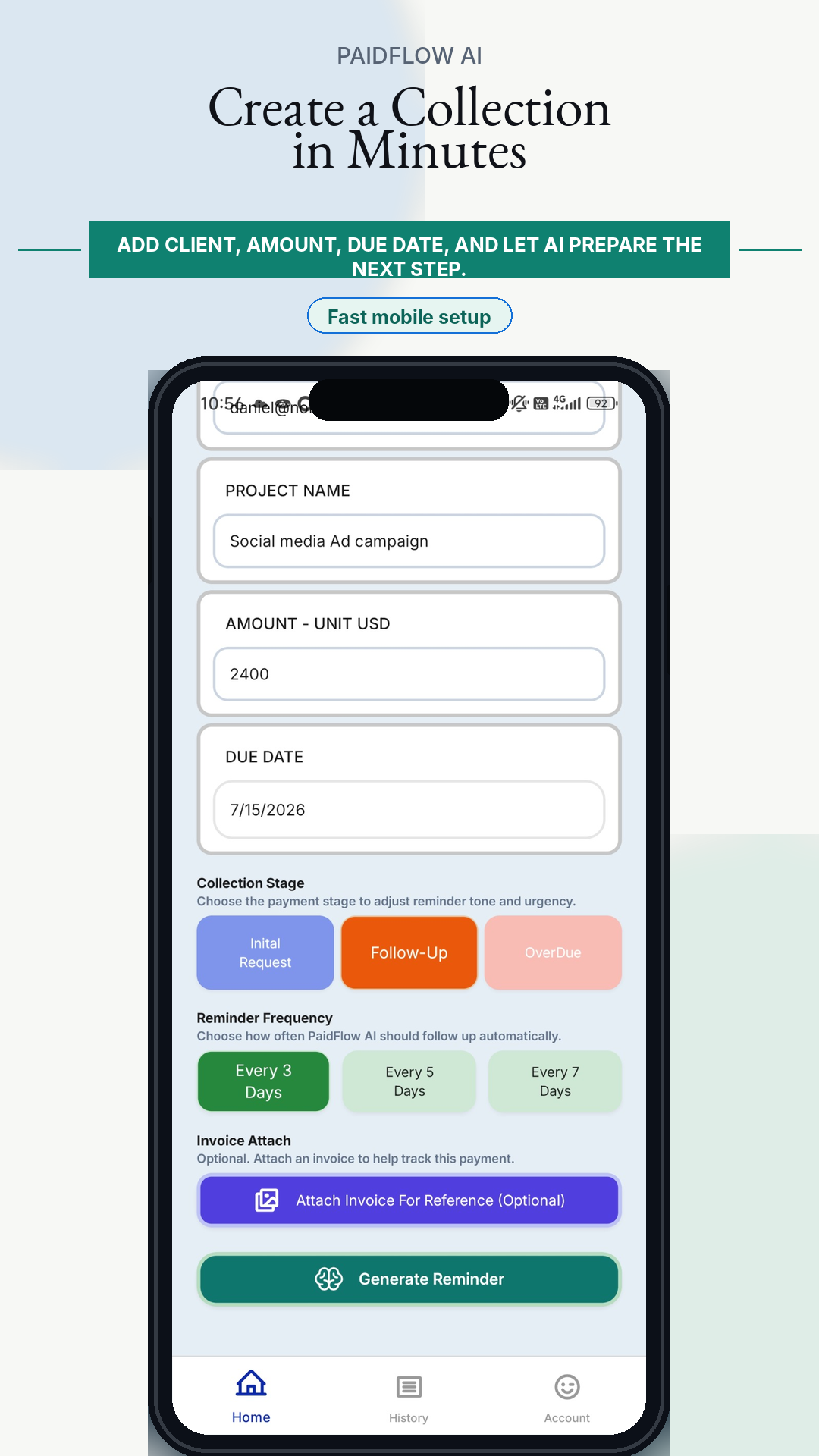
Enter the client name, email address, project name, amount, currency, and due date.
PaidFlow AI
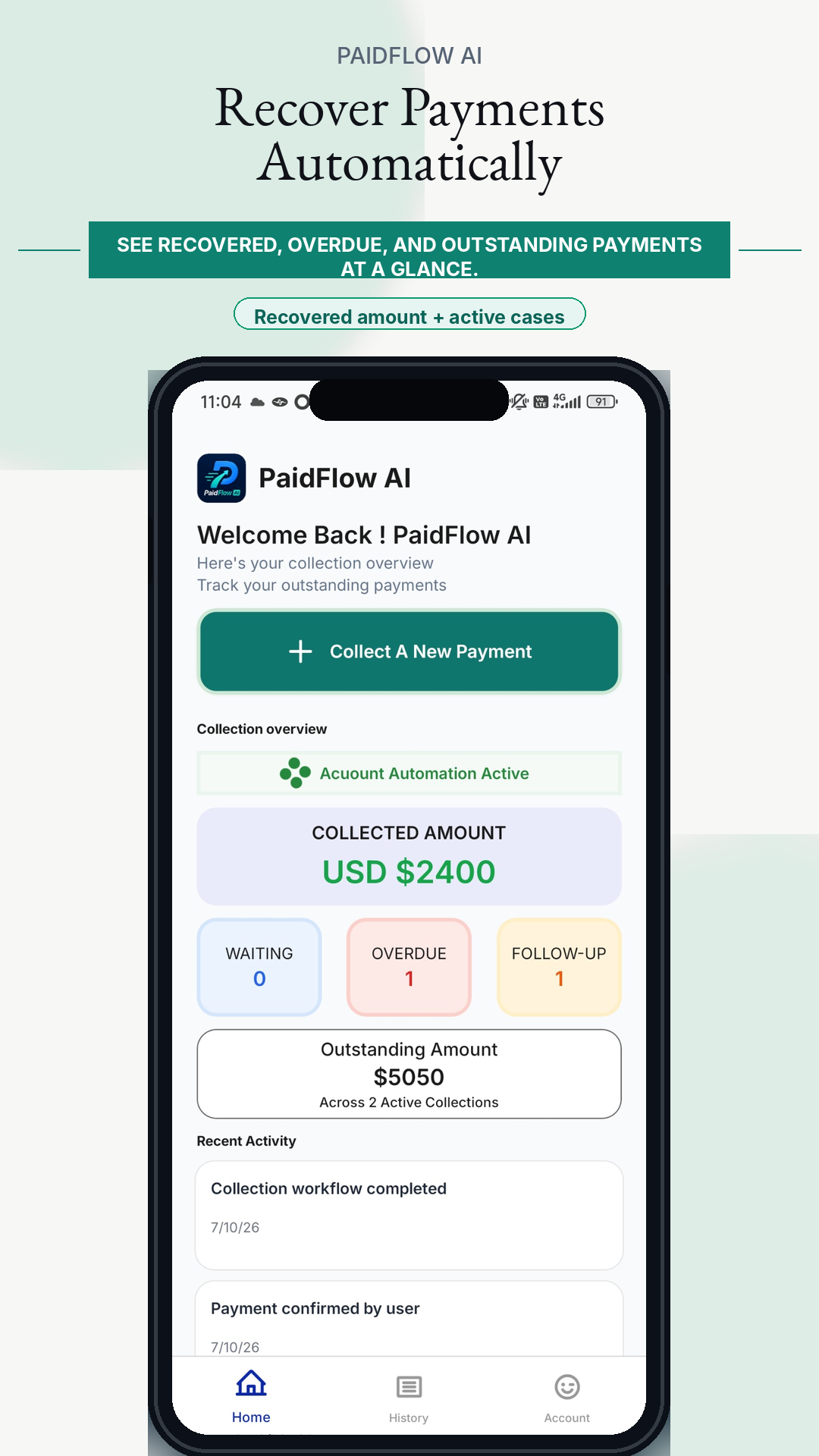
Start a collection case in minutes and let AI manage payment reminders after the first email.
Enter the client name, email address, project name, amount, currency, and due date.
Choose whether the collection is an initial request, follow-up, or overdue reminder.
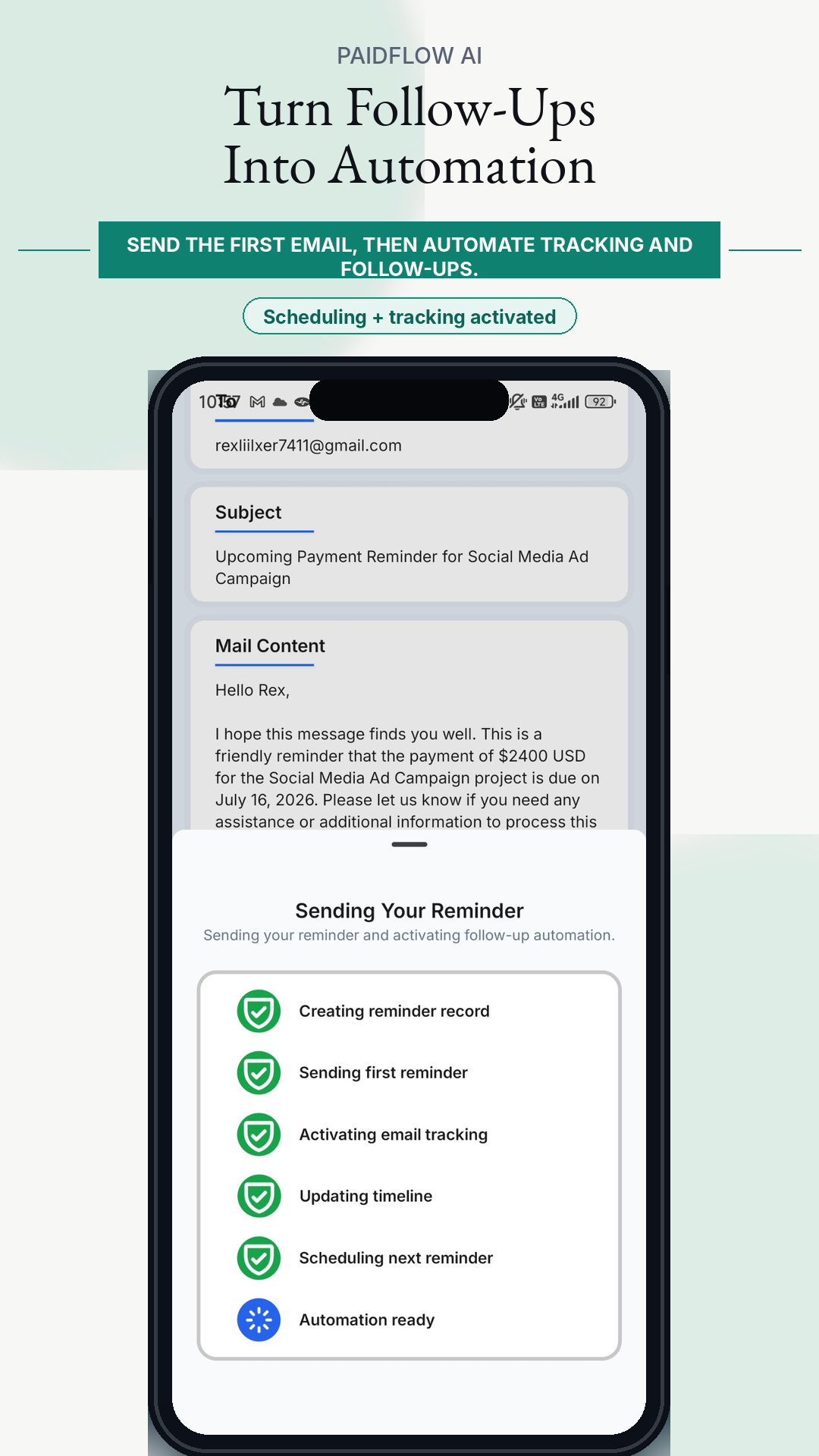
Decide how often PaidFlow AI should continue follow-ups after the first reviewed email.
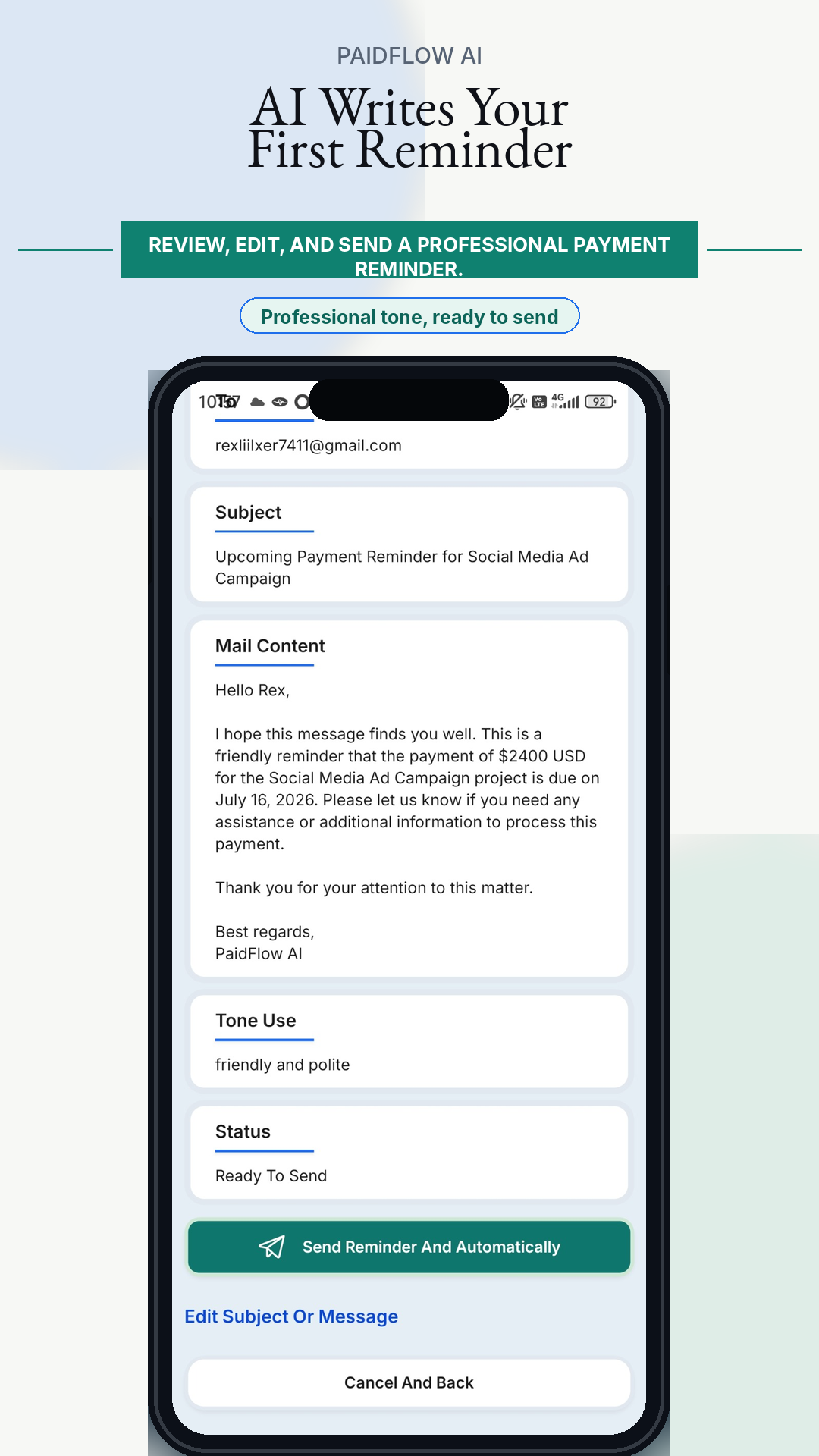
Let AI draft a professional reminder based on your collection case details.
You stay in control by reviewing the first message before it is sent.
Use delivery and open tracking as reference signals for communication activity.
PaidFlow AI can continue scheduled reminders until you stop the workflow or confirm payment.
PaidFlow AI never assumes payment has arrived. The user always confirms payment manually.
After you confirm payment, PaidFlow AI prepares a professional thank-you email for your client. This helps close the payment workflow respectfully and keeps the relationship positive for future cooperation.
Onboarding screenshots
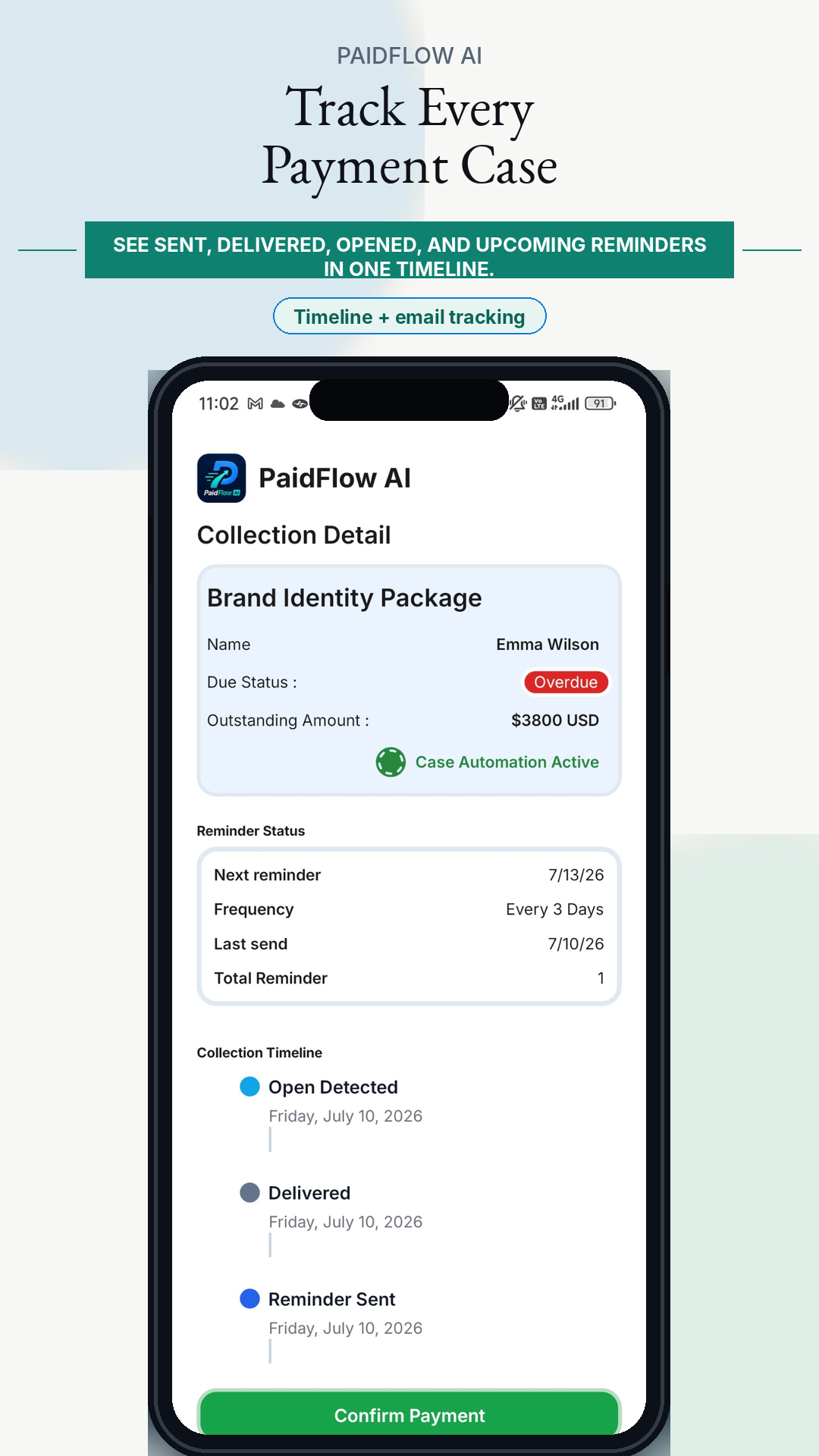
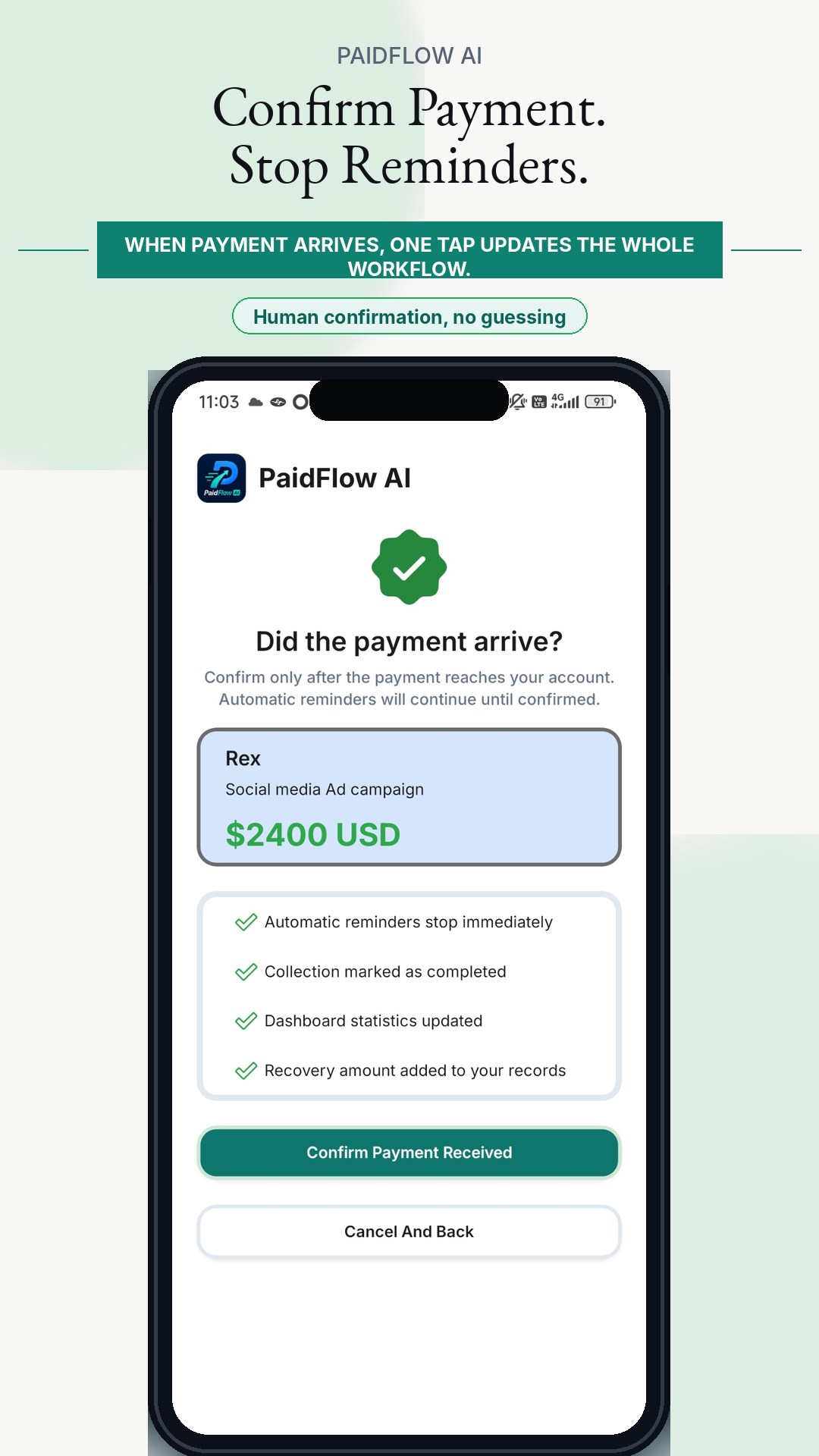
PaidFlow AI never treats email opens, delivery events, AI output, or reminder history as proof of payment. The user always confirms payment manually after checking their own records.